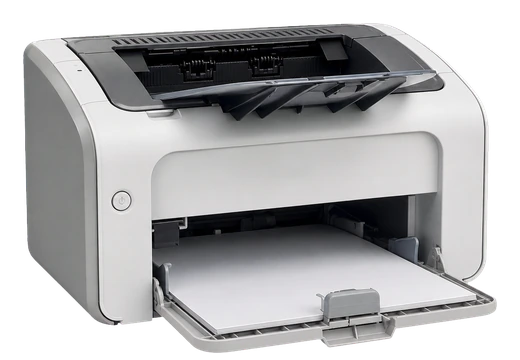
HP LaserJet 1020 Driver for Windows
HP LaserJet 1020 Laser printer driver
The HP LaserJet 1020 is an older but still widely used monochrome laser printer. This page keeps a local copy of the HP LaserJet 1020 driver for Windows, with file details, checksum information, and a reference to the official HP support source.
HP LaserJet 1020 driver for Windows 11
HP did not originally release the LaserJet 1020 for Windows 11, but many Windows 11 systems can still install it through the Windows 10 driver package. If Windows 11 does not detect the printer automatically, install the package from this page, reconnect the USB cable, and then check Settings > Bluetooth & devices > Printers & scanners.
Windows 10 64-bit and 32-bit driver
For Windows 10, choose the package that matches your installation type: 64-bit for most modern PCs, 32-bit for older systems. If you are not sure which one you use, open Settings > System > About and check the System type line before downloading.
USB printer not detected
If the HP LaserJet 1020 is connected by USB but does not appear in Windows, unplug the printer, restart the computer, install the driver first, and connect the USB cable only when the installer asks for it. Try a direct USB port on the computer rather than a hub, and avoid switching cables during installation.
Remove an old driver before installing
When the printer was previously installed with a broken or incomplete driver, remove the old entry first. Open Printers & scanners, remove the HP LaserJet 1020 device, restart Windows, and then run the driver installer again as administrator. This usually fixes repeated print queue errors after reconnecting the printer.
HP LaserJet 1020 vs HP LaserJet 1020 Plus
The HP LaserJet 1020 and HP LaserJet 1020 Plus are closely related models, but they are not always listed under the same support page in every region. Before installing, check the label on the printer body and use the package intended for your exact model when a separate file is provided.
FAQ
Is this download safe?
The file is stored locally in the drivers-search.com library. We show the version, size, operating systems, and checksum so the package can be checked after download.
Why show the official source?
The official source link is used as a reference point. It helps verify that the local copy matches the manufacturer package and is not a renamed third-party installer.
What is the checksum for?
A checksum is a fingerprint of the file. If your downloaded file has the same checksum, it has not changed during download or storage.
Can I install the driver offline?
Yes. Download the driver once, save it to a USB drive or local folder, and run the installer on the target PC. Keep the printer disconnected until the installer asks you to connect it.
Driver file details
- Version
- v1601
- Release date
- 2016-02-09
- Size
- 80.2 MB (84,063,576 bytes)
- File type
- EXE installer
- Manufacturer
- HP
- SHA256 / MD5
- SHA256: 740b25e25f651f655530a9e035bd1aa081d3012bf083150b1dbbcf7bff0a0c43; MD5: 15df44a98c797ac03bd8f84681604a17
How we verify files
- We compare the model, version, and operating system with manufacturer data.
- When an official reference is available, we show the original source.
- We keep checksums so the file can be verified after download.
- We do not disguise third-party installers as drivers.
Installation guide
- Download the file only from the trusted link on this page.
- Check the file size and checksum when they are provided.
- Run the file as administrator only if you trust the source.
- Follow the installer steps and restart the PC if required.
Available downloads
Choose the package that matches your Windows version and installation needs.
Ask a question