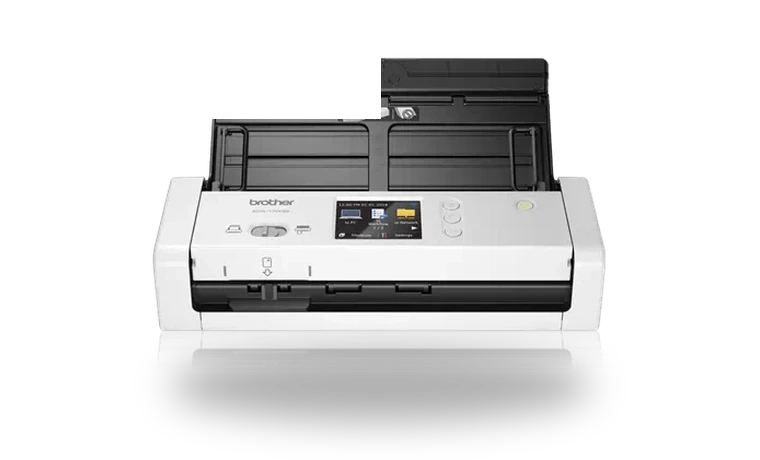
Brother ADS-1700W Scanner Software for Windows
Brother Brother ADS-1700W Wireless document scanner driver
Brother ADS-1700W is a compact wireless document scanner for receipts, forms and everyday office paperwork. Brother iPrint&Scan provides the Windows scanning workflow used by this model and other ADS scanners.
Brother ADS-1700W driver overview
This package is useful when a clean Windows install can see the ADS-1700W on the network but does not have Brother's scan application or scan services installed. The local copy is stored with the exact version, file size and checksum before download.
When this scanner driver helps
- The ADS-1700W is online but Brother iPrint&Scan is missing.
- A laptop was reinstalled and no longer has Brother scan workflows.
- You need Brother's current Windows scanning app for a wireless ADS scanner.
Supported Windows versions
Windows 11 / 10 (32-bit / 64-bit).
Before installing
- Connect the scanner to Wi-Fi or USB before testing the scan workflow.
- Run the installer as an administrator and allow Brother services through Windows prompts.
- If scanning over Wi-Fi, check that the PC and scanner are on the same network.
The file is stored in the drivers-search.com library. Before installing, compare the model, Windows version, file size and SHA256 checksum shown on this page.
Driver file details
- Version
- 15.2.0.11
- Release date
- 2026-05-15
- Size
- 569.22 MB (596,868,448 bytes)
- File type
- EXE
- Manufacturer
- Brother
- SHA256 / MD5
- SHA256: b498dee25cffb1538b77f25527904a4d12ad3d51d280cf776d42677543dbc72a
How we verify files
- We compare the model, version, and operating system with manufacturer data.
- When an official reference is available, we show the original source.
- We keep checksums so the file can be verified after download.
- We do not disguise third-party installers as drivers.
Installation guide
- Download the file only from the trusted link on this page.
- Check the file size and checksum when they are provided.
- Run the file as administrator only if you trust the source.
- Follow the installer steps and restart the PC if required.
Available downloads
Choose the package that matches your Windows version and installation needs.
Installation screenshots
Visual setup checkpoints before changing Windows driver settings.
Ask a question