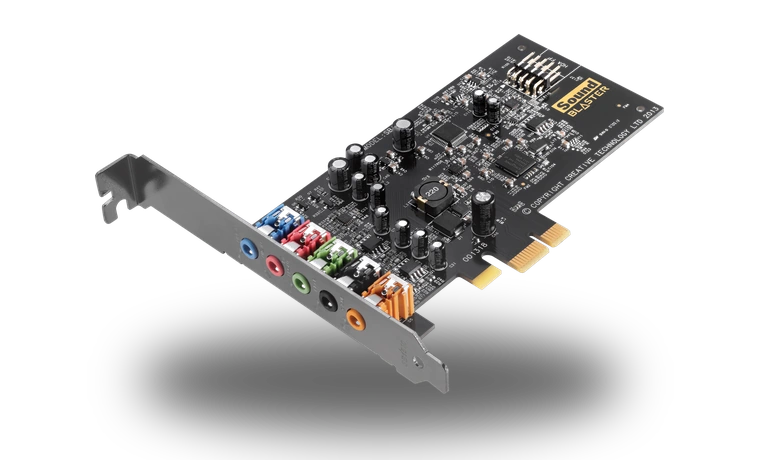
Creative Sound Blaster Audigy Fx Driver for Windows
Creative Sound Blaster Audigy Fx PCIe sound card driver driver
This driver is for the Creative Sound Blaster Audigy Fx PCIe sound card, a common upgrade card used when onboard motherboard audio is noisy, disabled or not enough for a 5.1 speaker setup.
Sound Blaster Audigy Fx driver overview
The package is a Microsoft Update Catalog driver CAB for the Audigy Fx. Keeping it locally is useful when Windows detects the card but does not automatically pull the right Creative media driver.
When this audio driver helps
- Windows sees a multimedia audio controller after the Audigy Fx is installed.
- The card works with basic output but Creative-specific driver support is missing.
- You need a compact driver package before setting up an older Windows build.
Supported Windows versions
Windows 11 / 10 / 8.1 / 8 / 7 is listed for this package. Check the exact device model and Windows version before running the installer.
Before installing
Download the local file from this page, compare the visible file size and SHA256 checksum, close audio applications, then run the installer or update the device from Device Manager. Restart Windows before testing speakers, microphone and headset output.
Driver file details
- Version
- 6.0.103.30
- Release date
- 2015-06-02
- Size
- 3.16 MB (3,314,577 bytes)
- File type
- CAB
- Manufacturer
- Creative
- SHA256 / MD5
- SHA256: 4b63ae15e221d63b3837508f8935e367bf8e1041b7dc0b361cdb7fd9fb82aa4f
How we verify files
- We compare the model, version, and operating system with manufacturer data.
- When an official reference is available, we show the original source.
- We keep checksums so the file can be verified after download.
- We do not disguise third-party installers as drivers.
Installation guide
- Download the file only from the trusted link on this page.
- Check the file size and checksum when they are provided.
- Run the file as administrator only if you trust the source.
- Follow the installer steps and restart the PC if required.
Available downloads
Choose the package that matches your Windows version and installation needs.
Installation screenshots
Visual setup checkpoints before changing Windows driver settings.
Ask a question