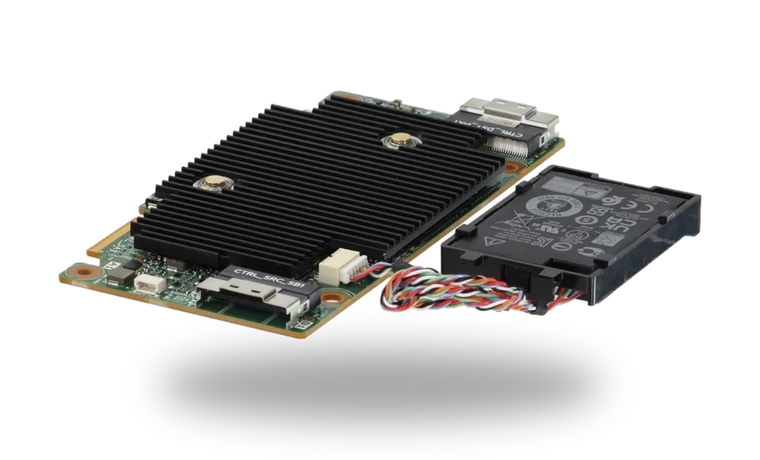
Dell PERC H755 RAID Controller Driver for Windows Server
Dell PERC H755 hardware RAID controller driver
The Dell PERC H755 is a hardware RAID controller used in supported PowerEdge servers. Dell package KFJHK supplies the signed 64-bit storage driver for Windows Server 2025 and is not a firmware update or a generic software-RAID service.
Dell PERC H755 driver overview
A PERC driver can be needed during Windows Server deployment when setup cannot see an existing virtual disk, or later when Device Manager shows the controller without the proper Dell package. Existing arrays should be healthy before any controller change.
When this storage package helps
- Windows does not identify Dell PERC H755 correctly after a clean installation.
- The vendor utility or controller package is missing after the storage device was moved to another PC.
- You need the exact local package, version, file size and checksum before making storage changes.
Supported Windows versions
Windows Server 2025 (64-bit).
Before installing
- Record the current controller firmware and array state before replacing a production RAID driver.
- Back up important data before changing a storage driver, RAID component, firmware tool or disk-management utility.
- Match the complete device model and supported Windows release; a similar product name is not enough.
Compatibility notes
Dell A01 carries driver 7.730.02.00 for Windows Server 2025 and lists PERC H755 Adapter, H755 Front, H755 MX and H755N Front among its targets. Controller firmware and management software remain separate downloads.
Common installation checks
- If setup cannot find the device, compare the hardware ID or exact model label with the package target.
- If Windows blocks the package, check the digital signature and use an administrator account rather than disabling security checks.
- If a storage device disappears after installation, restore the previous driver and check the controller mode in firmware before trying again.
Questions about this driver
Does this package erase files?
A normal driver installation should not format a disk, but storage changes carry more risk than ordinary peripheral updates. Keep a current backup before installation.
Can I use a package for a similar model?
No. Use the exact model or controller family listed by the manufacturer, especially for RAID, NVMe and vendor management tools.
The file is stored in the drivers-search.com library. Before installing, compare the model, Windows version, file size and checksum shown on this page.
Driver file details
- Version
- 7.730.02.00, A01
- Release date
- 2025-06-20
- Size
- 13.86 MB (14,535,624 bytes)
- File type
- EXE
- Manufacturer
- Dell
- SHA256 / MD5
- SHA256: fd7e7d3584d6a2ecd7bbfc30c809bcf2153bec2411070ab5440fbd5c4ad98888
How we verify files
- We compare the model, version, and operating system with manufacturer data.
- When an official reference is available, we show the original source.
- We keep checksums so the file can be verified after download.
- We do not disguise third-party installers as drivers.
Installation guide
- Download the file only from the trusted link on this page.
- Check the file size and checksum when they are provided.
- Run the file as administrator only if you trust the source.
- Follow the installer steps and restart the PC if required.
Available downloads
Choose the package that matches your Windows version and installation needs.
Installation screenshots
Visual setup checkpoints before changing Windows driver settings.
Ask a question