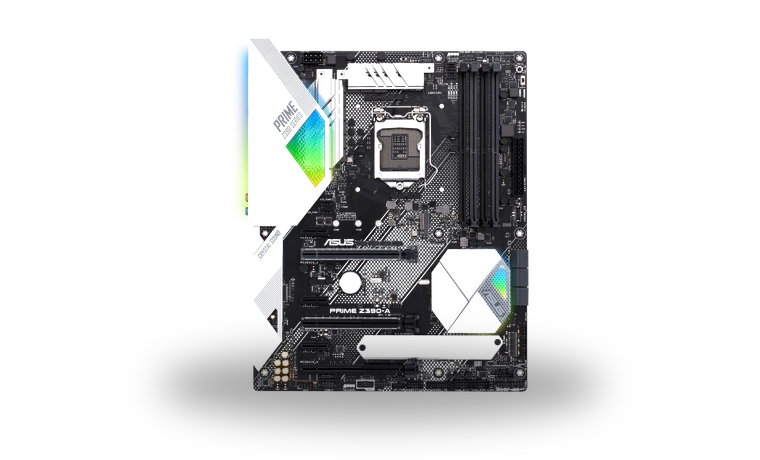
ASUS PRIME Z390-A Intel Chipset Driver for Windows
Intel ASUS PRIME Z390-A Intel Z390 motherboard chipset driver
The ASUS PRIME Z390-A uses Intel's Z390 platform, and Windows needs the chipset INF package to label its system devices correctly after a clean installation. This page keeps the matching Intel package with the file size and checksum visible before download.
ASUS PRIME Z390-A driver overview
This is not a BIOS update and it does not replace the board's LAN, audio or graphics drivers. It supplies Intel INF information for the motherboard chipset, which is why it is normally installed near the beginning of a Windows setup before the remaining ASUS device packages.
When this chipset package helps
- Device Manager shows generic PCI or system-device names after Windows setup.
- The Z390 platform entries are incomplete before installing other ASUS utilities.
- A clean Windows installation needs the motherboard driver order restored.
Supported Windows versions
Windows 11 / 10 (32-bit / 64-bit).
Before installing
- Confirm the exact PRIME Z390-A model before installing the package.
- Install Intel chipset information before troubleshooting LAN or audio devices.
- Restart Windows after setup so Device Manager refreshes the platform names.
Compatibility notes
The stored Intel Chipset Device Software package is intended for supported Intel platforms on Windows 10 and can also be used where Windows 11 accepts the same signed INF information. The ASUS PRIME Z390-A is an Intel Z390 board, but the package does not contain its Realtek audio, Intel LAN, SATA utility or BIOS firmware. Those remain separate downloads. On an established system with every chipset entry already named correctly, reinstalling the INF package may make no visible difference.
Common installation checks
- If setup exits immediately, run it as administrator and check that Windows Installer is available.
- If an unknown device remains, compare its hardware ID because it may belong to Intel ME, LAN or another separate controller.
- If ASUS publishes a newer board-specific package, compare its release notes before replacing a stable installation.
Questions about this driver
Does this package update the PRIME Z390-A BIOS?
No. Chipset INF files and motherboard BIOS firmware are separate. Use ASUS EZ Flash and the exact board revision for BIOS work.
Why do some devices still need drivers afterward?
The chipset package names Intel platform devices. Audio, Ethernet, graphics and management components use their own packages.
The file is stored in the drivers-search.com library. Before installing, compare the model, Windows version, file size and checksum shown on this page.
Driver file details
- Version
- 10.1.18121.8164 A09
- Release date
- 2020-05-19
- Size
- 11.79 MB (12,362,680 bytes)
- File type
- EXE
- Manufacturer
- Intel
- SHA256 / MD5
- SHA256: 3327b6fe2b4d5b8d7dd841337a2c8bc37df75df5bccd67be6c255795b26b361f
How we verify files
- We compare the model, version, and operating system with manufacturer data.
- When an official reference is available, we show the original source.
- We keep checksums so the file can be verified after download.
- We do not disguise third-party installers as drivers.
Installation guide
- Download the file only from the trusted link on this page.
- Check the file size and checksum when they are provided.
- Run the file as administrator only if you trust the source.
- Follow the installer steps and restart the PC if required.
Available downloads
Choose the package that matches your Windows version and installation needs.
Installation screenshots
Visual setup checkpoints before changing Windows driver settings.
Ask a question