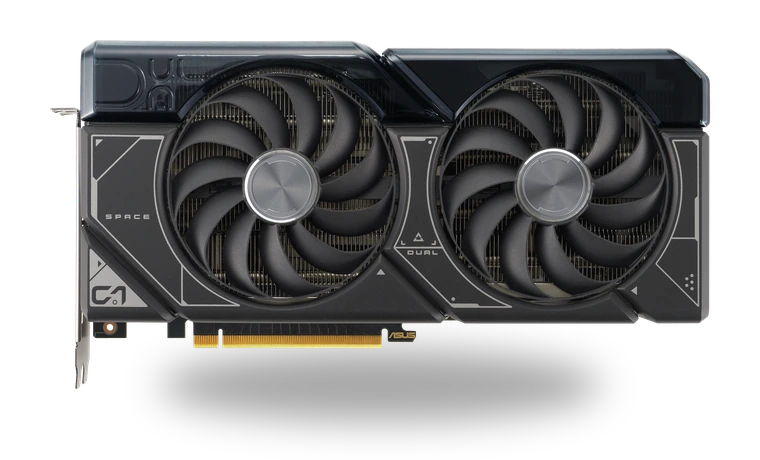
ASUS Dual GeForce RTX 4070 SUPER Driver for Windows
NVIDIA ASUS Dual GeForce RTX 4070 SUPER Desktop graphics card driver
The ASUS Dual GeForce RTX 4070 SUPER is a compact two-fan desktop card, but its Windows driver is the same NVIDIA Game Ready package used across supported RTX 40-series models. This entry is for owners who want the model named clearly before downloading a local copy.
ASUS Dual GeForce RTX 4070 SUPER driver overview
Use this package after a clean Windows install, a graphics-card replacement, or when Device Manager falls back to Microsoft Basic Display Adapter. The page keeps the driver version, file size, checksum and NVIDIA reference link together, so there is no need to compare several nearly identical download pages.
When this graphics driver helps
- The RTX 4070 SUPER appears as Microsoft Basic Display Adapter.
- NVIDIA Control Panel or the NVIDIA App is missing after Windows setup.
- Games report an old display driver or cannot enable DLSS and ray tracing.
Supported Windows versions
Windows 11 / 10 (64-bit).
Before installing
- Close games, overlays and GPU tuning utilities before setup.
- Keep the monitor connected to the ASUS card rather than the motherboard output.
- Choose a clean installation only when an older NVIDIA package is causing problems.
Compatibility notes
This entry is for the ASUS Dual RTX 4070 SUPER on 64-bit Windows 11 or Windows 10. NVIDIA's installer is shared across supported GeForce products, so seeing other RTX models in the release notes is normal. The important checks are the Windows edition, 64-bit architecture and whether the package still lists the RTX 4070 SUPER family. It is not intended for Linux, macOS or older 32-bit Windows installations.
Common installation checks
- If setup cannot find compatible hardware, confirm the card is fully seated and visible in Device Manager.
- If the screen goes black and does not return, restart once and reconnect the display cable to the ASUS card.
- If Windows immediately restores an older driver, pause Windows Update briefly and repeat the installation.
Questions about this driver
Is this a separate ASUS graphics driver?
No. ASUS builds the card, while NVIDIA supplies the Windows display driver. The package on this page is the NVIDIA driver used by the supported ASUS RTX 4070 SUPER model.
Should I choose Express or Custom installation?
Express is suitable for a normal update. Custom is useful when you need to review components or perform a clean installation after a broken older driver.
The file is stored in the drivers-search.com library. Before installing, compare the model, Windows version, file size and checksum shown on this page.
Driver file details
- Version
- 595.97
- Release date
- 2026-03-24
- Size
- 913.01 MB (957,358,592 bytes)
- File type
- EXE
- Manufacturer
- NVIDIA
- SHA256 / MD5
- SHA256: 979ed00fea181c786f608967377d6d83ac82e6368275994a4182ec79d97b3122
How we verify files
- We compare the model, version, and operating system with manufacturer data.
- When an official reference is available, we show the original source.
- We keep checksums so the file can be verified after download.
- We do not disguise third-party installers as drivers.
Installation guide
- Download the file only from the trusted link on this page.
- Check the file size and checksum when they are provided.
- Run the file as administrator only if you trust the source.
- Follow the installer steps and restart the PC if required.
Available downloads
Choose the package that matches your Windows version and installation needs.
Installation screenshots
Visual setup checkpoints before changing Windows driver settings.
Ask a question