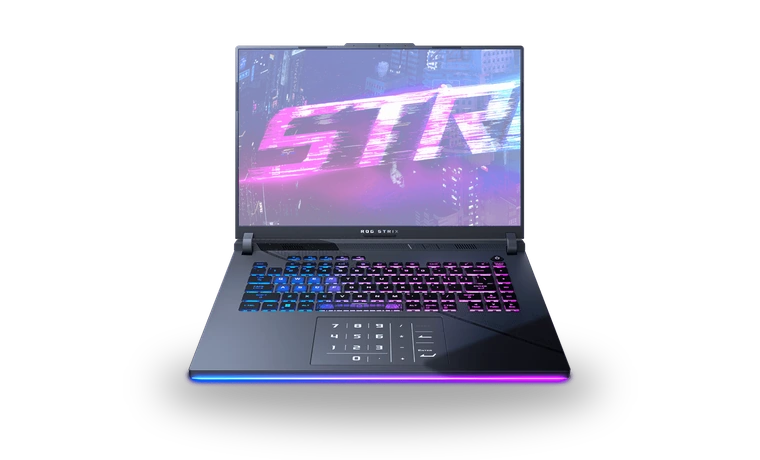
ASUS ROG Strix G16 RTX 4060 Laptop GPU Driver for Windows
NVIDIA ASUS ROG Strix G16 RTX 4060 Laptop GPU Laptop graphics driver driver
This NVIDIA package is for the GeForce RTX 4060 Laptop GPU configuration of the ASUS ROG Strix G16. It is useful after a clean Windows installation when the notebook runs on its integrated graphics but the discrete NVIDIA adapter is missing or using a basic driver.
ASUS ROG Strix G16 RTX 4060 Laptop GPU driver overview
ASUS can publish model-tuned packages, while NVIDIA also provides a current notebook Game Ready driver. This local NVIDIA copy is the practical option when you need the discrete GPU working first; if ASUS later offers a newer model-specific build, compare its notes before replacing a stable installation.
When this graphics driver helps
- The RTX 4060 Laptop GPU is missing from Device Manager.
- Games launch on integrated graphics even when high performance is selected.
- The NVIDIA App or Control Panel is absent after reinstalling Windows.
Supported Windows versions
Windows 11 / 10 (64-bit).
Before installing
- Keep the ROG Strix G16 connected to its power adapter during setup.
- Install ASUS chipset and system-control drivers before troubleshooting GPU switching.
- Restart the notebook and verify both integrated and NVIDIA adapters afterward.
Compatibility notes
This page covers the ROG Strix G16 configuration that actually contains a GeForce RTX 4060 Laptop GPU. The same chassis is sold with other NVIDIA adapters, so check the exact G614 model and the Display adapters section before installing. The package supports 64-bit Windows 11 and compatible Windows 10 builds. Hybrid graphics also depend on the Intel graphics, ASUS System Control Interface and current BIOS settings being present.
Common installation checks
- If the NVIDIA GPU is hidden, install the ASUS chipset and system-control packages, then restart before trying again.
- If games still use integrated graphics, set the application to High performance in Windows Graphics settings.
- If the installer rejects the notebook, compare the ASUS support package for the exact G614 suffix.
Questions about this driver
Can I use the desktop RTX 4060 driver instead?
Use NVIDIA's notebook-compatible package. A desktop card and an RTX 4060 Laptop GPU are different devices even though their names are similar.
Will this replace ASUS performance profiles?
The display driver does not replace Armoury Crate or ASUS power profiles. Those are separate utilities and should remain installed when the laptop uses them.
The file is stored in the drivers-search.com library. Before installing, compare the model, Windows version, file size and checksum shown on this page.
Driver file details
- Version
- 595.97
- Release date
- 2026-03-24
- Size
- 913.01 MB (957,358,592 bytes)
- File type
- EXE
- Manufacturer
- NVIDIA
- SHA256 / MD5
- SHA256: 979ed00fea181c786f608967377d6d83ac82e6368275994a4182ec79d97b3122
How we verify files
- We compare the model, version, and operating system with manufacturer data.
- When an official reference is available, we show the original source.
- We keep checksums so the file can be verified after download.
- We do not disguise third-party installers as drivers.
Installation guide
- Download the file only from the trusted link on this page.
- Check the file size and checksum when they are provided.
- Run the file as administrator only if you trust the source.
- Follow the installer steps and restart the PC if required.
Available downloads
Choose the package that matches your Windows version and installation needs.
Installation screenshots
Visual setup checkpoints before changing Windows driver settings.
Ask a question