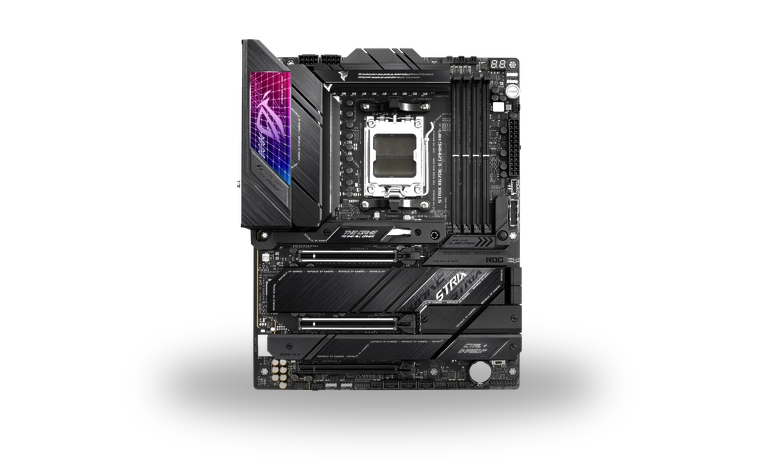
ASUS ROG Strix X670E-E Gaming WiFi AMD Chipset Driver
AMD ASUS ROG Strix X670E-E Gaming WiFi AMD X670E motherboard chipset driver
The ROG Strix X670E-E Gaming WiFi uses AMD's AM5 X670E chipset. Its chipset package installs the platform components Windows needs for power management, GPIO, PCI and other motherboard functions that are not covered by a graphics driver.
ASUS ROG Strix X670E-E Gaming WiFi driver overview
Install this package after Windows is running and before diagnosing isolated motherboard devices. AMD publishes one Ryzen chipset installer for several supported AM5 boards; the page is model-specific so the X670E-E compatibility, local file and installation sequence are clear.
When this chipset package helps
- Windows was reinstalled and several AMD system devices use basic entries.
- Power-plan, GPIO or PCI platform components are missing or outdated.
- ASUS support recommends refreshing the AMD chipset stack before other troubleshooting.
Supported Windows versions
Windows 11 / 10 (64-bit).
Before installing
- Keep the PC connected to stable power and close monitoring utilities.
- Leave all recommended AMD chipset components selected during a normal installation.
- Do not remove individual AMD chipset components manually in Device Manager.
Compatibility notes
AMD Chipset Software 7.06.02.123 supports the 64-bit Windows platform used by the ROG Strix X670E-E Gaming WiFi. The unified installer may list several AMD component names because the X670E platform contains more than one system device. It does not include the board BIOS, Radeon graphics package, Intel Ethernet driver, Wi-Fi package or Realtek audio software. Those should be handled separately when the corresponding hardware requires them.
Common installation checks
- If the installer reports unsupported hardware, confirm that the board is really the X670E-E model and that 64-bit Windows is installed.
- If setup stalls, close hardware monitoring tools and retry after one clean restart.
- If only one device remains unresolved, use its hardware ID instead of repeatedly reinstalling the full chipset package.
Questions about this driver
Why does the installer contain several drivers?
AMD's chipset package covers multiple platform components, including GPIO, PCI, PSP and power-management devices where supported.
Should every component remain selected?
For a normal X670E installation, the default recommended selection is appropriate. Change it only when following a specific support procedure.
The file is stored in the drivers-search.com library. Before installing, compare the model, Windows version, file size and checksum shown on this page.
Driver file details
- Version
- 7.06.02.123
- Release date
- 2025-06-02
- Size
- 73.57 MB (77,146,520 bytes)
- File type
- EXE
- Manufacturer
- AMD
- SHA256 / MD5
- SHA256: 3753b0e41ead2b1c3a94f57e08521119163276d9f3b7f769ae664beaac095a70
How we verify files
- We compare the model, version, and operating system with manufacturer data.
- When an official reference is available, we show the original source.
- We keep checksums so the file can be verified after download.
- We do not disguise third-party installers as drivers.
Installation guide
- Download the file only from the trusted link on this page.
- Check the file size and checksum when they are provided.
- Run the file as administrator only if you trust the source.
- Follow the installer steps and restart the PC if required.
Available downloads
Choose the package that matches your Windows version and installation needs.
Installation screenshots
Visual setup checkpoints before changing Windows driver settings.
Ask a question