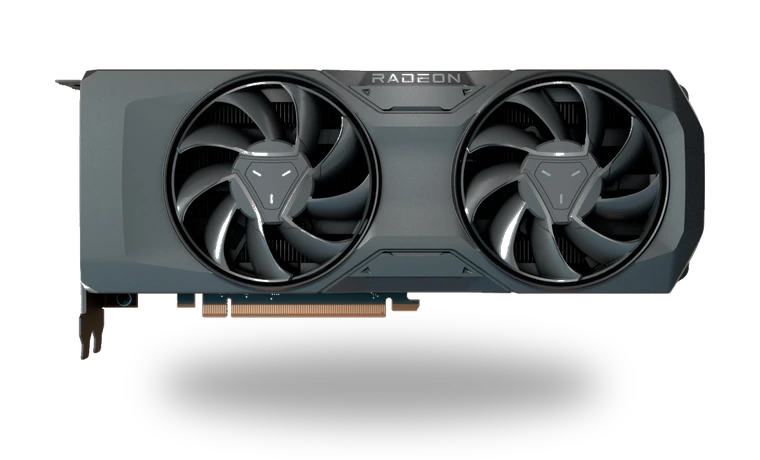
AMD Radeon RX 7800 XT Driver for Windows
AMD AMD Radeon RX 7800 XT Desktop graphics card driver
The Radeon RX 7800 XT uses AMD Software: Adrenalin Edition on Windows 11 and Windows 10. This page is aimed at people who already know the card in their PC and want the matching local installer without working through AMD's product selector again.
AMD Radeon RX 7800 XT driver overview
The driver restores the Radeon display stack, hardware acceleration and the Adrenalin control panel after Windows has been reinstalled. The local file is shared with other supported Radeon models because AMD publishes one package for the current product family; the model-specific page keeps the compatibility notes easy to check.
When this graphics driver helps
- Windows lists the RX 7800 XT as a basic display adapter.
- AMD Software was removed or no longer opens after an update.
- Games cannot detect the Radeon card or use the expected resolution and refresh rate.
Supported Windows versions
Windows 11 / 10 (64-bit).
Before installing
- Remove a broken older package only when a normal upgrade fails.
- Close capture, streaming and overclocking tools before starting setup.
- The display may flicker while the Radeon driver is replaced.
Compatibility notes
The RX 7800 XT uses the 64-bit AMD Software: Adrenalin Edition package for supported Windows 11 and Windows 10 builds. AMD distributes one installer across several Radeon generations, so the file is not unique to this card even though the page is model-specific. Do not use it for Apple Boot Camp or unsupported legacy Windows releases. On a prebuilt PC, check the system maker's notes if switchable graphics or unusual display routing is involved.
Common installation checks
- If AMD Software reports Error 182, verify that the adapter is really an RX 7800 XT and not an OEM-only variant.
- If setup stops during hardware detection, reboot and close monitoring, capture and remote-access applications.
- If the driver installs but Adrenalin does not open, repair the package before using AMD Cleanup Utility.
Questions about this driver
Why is the same AMD file used for several cards?
Adrenalin Edition is a unified Radeon package. The installer detects the installed GPU and copies only the driver components that apply to it.
Does the local file include the full control panel?
The stored package is the same AMD installer referenced on the page. Available components depend on the package build and the installation type selected during setup.
The file is stored in the drivers-search.com library. Before installing, compare the model, Windows version, file size and checksum shown on this page.
Driver file details
- Version
- 25.9.1
- Release date
- 2025-09-01
- Size
- 41.6 MB (43,616,656 bytes)
- File type
- EXE
- Manufacturer
- AMD
- SHA256 / MD5
- SHA256: 5cd0dff55b6d79e6056e3e05a17b3f0f3979fe21cbd972da6061649da650cc3f
How we verify files
- We compare the model, version, and operating system with manufacturer data.
- When an official reference is available, we show the original source.
- We keep checksums so the file can be verified after download.
- We do not disguise third-party installers as drivers.
Installation guide
- Download the file only from the trusted link on this page.
- Check the file size and checksum when they are provided.
- Run the file as administrator only if you trust the source.
- Follow the installer steps and restart the PC if required.
Available downloads
Choose the package that matches your Windows version and installation needs.
Installation screenshots
Visual setup checkpoints before changing Windows driver settings.
Ask a question