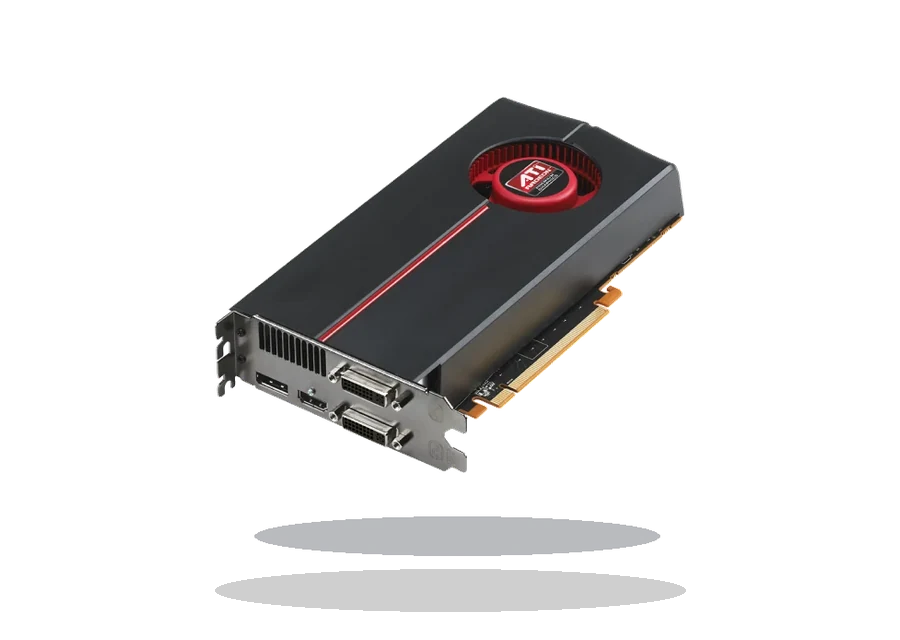
AMD Radeon Software Adrenalin Driver for Windows
AMD AMD Radeon RX graphics cards Graphics card driver driver
AMD Software Adrenalin Edition minimal setup is for supported Radeon graphics cards when Windows needs the current AMD driver installer.
AMD Radeon RX graphics cards driver overview
This page keeps a local copy of the AMD Radeon RX graphics cards package for Windows users who want the file, version, supported systems and source reference in one place before installing anything.
When this driver is useful
- A Radeon card is running on the basic Microsoft display driver.
- Games or creative applications need the AMD Adrenalin control panel.
- A PC was rebuilt and the Radeon driver stack is missing.
Before installing
Check the device model first, then compare the supported Windows version, package date, file size and checksum shown on this page. Do not use the package for a similar model unless the manufacturer lists it as compatible.
Installation notes
- This is AMD minimal setup, so it can fetch required components during installation.
- Use the OEM package for some laptops when the vendor customizes graphics switching.
- Restart after installation before testing games.
The file is stored in the drivers-search.com local library and the source reference is kept for verification. For branded notebooks, motherboards and adapters, vendor-customized packages may be preferable when the PC maker provides a newer model-specific release.
Driver file details
- Version
- 25.9.1
- Release date
- 2025-09-01
- Size
- 41.6 MB (43,616,656 bytes)
- File type
- EXE
- Manufacturer
- AMD
- SHA256 / MD5
- SHA256: 5cd0dff55b6d79e6056e3e05a17b3f0f3979fe21cbd972da6061649da650cc3f
How we verify files
- We compare the model, version, and operating system with manufacturer data.
- When an official reference is available, we show the original source.
- We keep checksums so the file can be verified after download.
- We do not disguise third-party installers as drivers.
Installation guide
- Download the file only from the trusted link on this page.
- Check the file size and checksum when they are provided.
- Run the file as administrator only if you trust the source.
- Follow the installer steps and restart the PC if required.
Available downloads
Choose the package that matches your Windows version and installation needs.
Installation screenshots
Visual setup checkpoints before changing Windows driver settings.
Ask a question