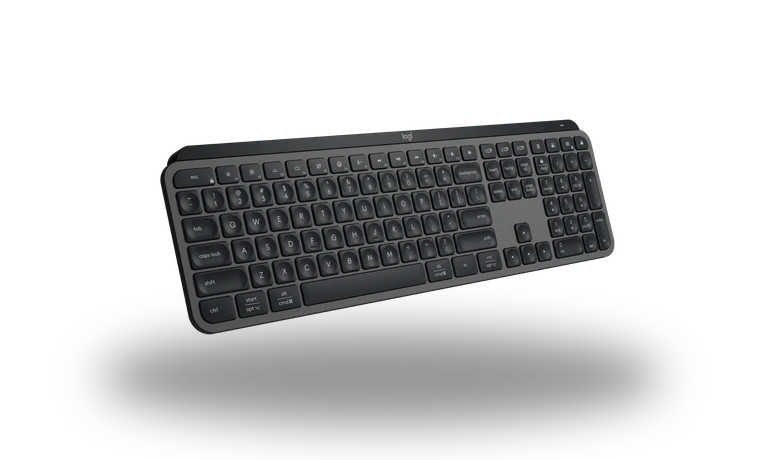
Logitech MX Keys S Keyboard Software for Windows
Logitech Logitech MX Keys S Wireless productivity keyboard driver
Logitech
Verified local copy
Logitech MX Keys S uses the official Logitech keyboard software package for Windows. This page is written for users who want a clean local copy with version, size, checksum and source details visible before download.
Logitech MX Keys S driver overview
Install this package after a Windows reinstall, when hotkeys, wireless pairing, lighting profiles or keyboard customization tools are missing. The download is kept as a verified local library file while the source link points back to the official vendor support page.
When this keyboard driver helps
- Windows detects the keyboard but special keys or software controls do not work.
- The vendor keyboard utility is missing after a clean Windows installation.
- You need a checked local installer with checksum and source information.
Supported Windows versions
Windows 11 / 10 (64-bit).
Before installing
- Disconnect duplicate keyboard receivers if pairing fails.
- Close older keyboard utilities before running setup.
- Restart Windows if the installer updates HID services.
Driver file details
- Version
- Options+ current installer
- Release date
- 2026-06-26
- Size
- 67.07 MB (70,324,376 bytes)
- File type
- EXE
- Manufacturer
- Logitech
- SHA256 / MD5
- SHA256: 4b53b6233cc0c23a62b8f4631843641eb2cc7794a0dda76fb847cef17e577ce6
How we verify files
- We compare the model, version, and operating system with manufacturer data.
- When an official reference is available, we show the original source.
- We keep checksums so the file can be verified after download.
- We do not disguise third-party installers as drivers.
Installation guide
- Download the file only from the trusted link on this page.
- Check the file size and checksum when they are provided.
- Run the file as administrator only if you trust the source.
- Follow the installer steps and restart the PC if required.
Available downloads
Choose the package that matches your Windows version and installation needs.
Logitech MX Keys S Keyboard Software for Windows | Options+ current installer | 2026-06-26 | Windows 11 / 10 | 64-bit | 67.07 MB (70,324,376 bytes) | https://drivers-search.com/uploads/public_files/2026-06/logitech-g-hub-installer-2026.exe | SHA256: 4b53b6233cc0c23a62b8f4631843641eb2cc7794a0dda76fb847cef17e577ce6 | https://support.logi.com/hc/en-us/articles/360025297893-Logitech-Options
Installation screenshots
Visual setup checkpoints before changing Windows driver settings.
/uploads/install-screens/keyboards-20260626/logitech-mx-keys-s-keyboard-software/logitech-mx-keys-s-keyboard-software-install-01.webp?v=1 | Step 01 | Keyboard software setup checkpoint | Logitech MX Keys S installation screenshot 01
/uploads/install-screens/keyboards-20260626/logitech-mx-keys-s-keyboard-software/logitech-mx-keys-s-keyboard-software-install-02.webp?v=1 | Step 02 | Keyboard software setup checkpoint | Logitech MX Keys S installation screenshot 02
/uploads/install-screens/keyboards-20260626/logitech-mx-keys-s-keyboard-software/logitech-mx-keys-s-keyboard-software-install-03.webp?v=1 | Step 03 | Keyboard software setup checkpoint | Logitech MX Keys S installation screenshot 03
/uploads/install-screens/keyboards-20260626/logitech-mx-keys-s-keyboard-software/logitech-mx-keys-s-keyboard-software-install-04.webp?v=1 | Step 04 | Keyboard software setup checkpoint | Logitech MX Keys S installation screenshot 04
Ask a question