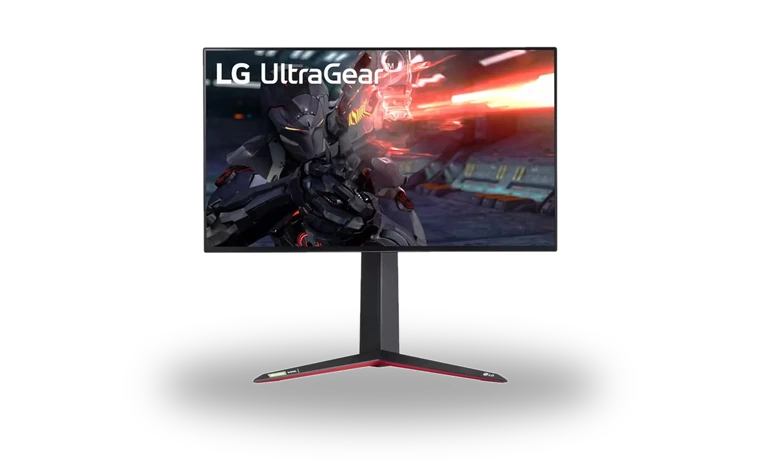
LG UltraGear 27GN950-B Monitor Driver for Windows
LG UltraGear 27GN950-B monitor driver
The LG UltraGear 27GN950-B is a 27-inch 4K Nano IPS gaming monitor. This local LG archive is the model support package used when Windows needs the correct monitor identity and profile instead of a generic PnP entry.
LG UltraGear 27GN950-B driver overview
Installing the monitor INF does not by itself unlock 4K at 144 Hz. That also requires a compatible graphics card, current GPU driver, Display Stream Compression support and the correct DisplayPort connection. The page keeps those roles separate so a small monitor package is not mistaken for a full display driver.
When this monitor package helps
- Windows lists the display as Generic PnP Monitor instead of LG UltraGear 27GN950-B.
- The correct color profile is missing after Windows was reinstalled.
- Device Manager needs the signed monitor INF before display settings are checked.
Supported Windows versions
Windows 11 / 10 (64-bit).
Before installing
- Check the exact 27GN950-B suffix before installation; nearby UltraGear model numbers are not interchangeable.
- Extract ZIP or CAB packages before choosing the INF file in Device Manager.
- The graphics-card driver remains separate and should be installed for resolution, refresh-rate and GPU features.
Compatibility notes
This entry is intended for the 27GN950-B and current 64-bit Windows systems. LG sells closely related 27GN95B and 27GP models, so compare the full model number on the rear label before installing. OnScreen Control and monitor firmware are separate downloads and should not be substituted for the INF package.
Common installation checks
- If Windows says the best driver is already installed, use Have Disk and select the extracted model INF directly.
- If the exact model is still missing, reconnect the video cable and remove only the Generic PnP Monitor entry before scanning for hardware changes.
- If refresh-rate or HDR options are absent after the monitor INF is installed, update the graphics driver and verify the cable and input port.
Questions about this driver
Is a monitor INF the same as a graphics driver?
No. The monitor package supplies the model identity, supported timing information and usually a color profile. NVIDIA, AMD or Intel separately supplies the graphics driver.
Can Windows work without this package?
Usually yes, through Generic PnP Monitor. The model-specific package is useful when you need the proper display name, signed INF data or the manufacturer's color profile.
The file is stored in the drivers-search.com library. Before installing, compare the model, Windows version, file size and checksum shown on this page.
Driver file details
- Version
- 1.0
- Release date
- 2022-11-30
- Size
- 1.76 MB (1,848,570 bytes)
- File type
- ZIP
- Manufacturer
- LG
- SHA256 / MD5
- SHA256: db3a2db1b388e7b415b3cd198d675ecae8eda59d541e8dcd20e37ee0b2892074
How we verify files
- We compare the model, version, and operating system with manufacturer data.
- When an official reference is available, we show the original source.
- We keep checksums so the file can be verified after download.
- We do not disguise third-party installers as drivers.
Installation guide
- Download the file only from the trusted link on this page.
- Check the file size and checksum when they are provided.
- Run the file as administrator only if you trust the source.
- Follow the installer steps and restart the PC if required.
Available downloads
Choose the package that matches your Windows version and installation needs.
Installation screenshots
Visual setup checkpoints before changing Windows driver settings.
Ask a question