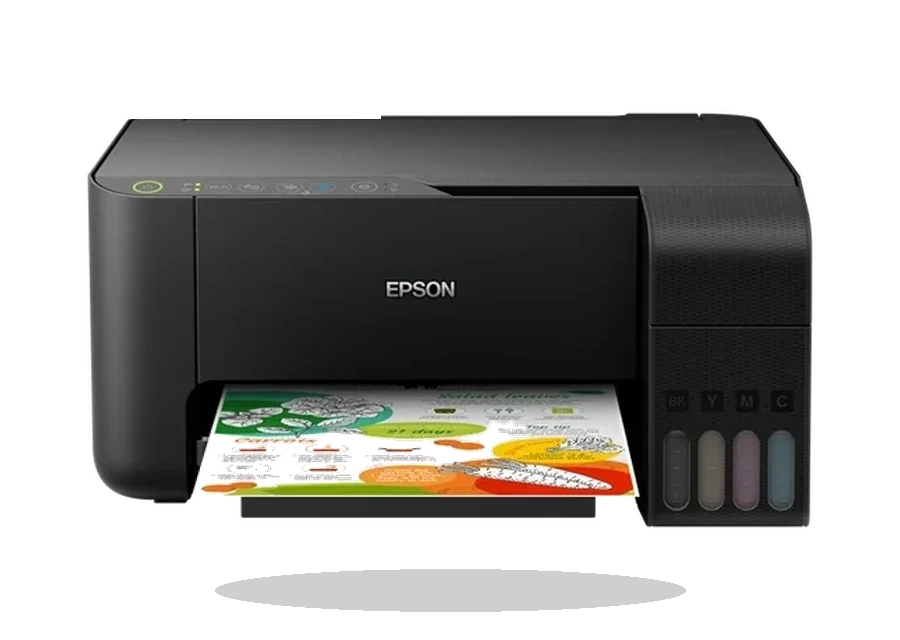
Epson EcoTank L3150 Printer Driver for Windows
Epson Epson EcoTank L3150 Ink tank all-in-one printer driver
The Epson EcoTank L3150 is a compact ink tank all-in-one printer used for everyday printing and scanning at home or in a small office. This page keeps the L3150 Windows packages in one place, so you can check the exact file, version, size and checksum before installing anything.
Which Epson L3150 file should I download?
Most users should start with the printer driver package. If Windows also needs the scanner component, install EPSON Scan after the printer driver. Epson Product Setup is useful on a fresh PC because it guides the basic package selection before the device is connected.
Windows compatibility
The listed packages cover common Windows installations including Windows 11, Windows 10, Windows 8.1, Windows 8 and Windows 7. Use the package that matches your Windows version and architecture, then restart the computer if the installer asks for it.
USB and Wi-Fi setup notes
If the L3150 is connected by USB, wait until the Epson installer asks you to plug in the cable. For Wi-Fi setup, keep the printer close to the router during the first connection and make sure the PC is on the same network before testing print and scan.
Before installing
- Remove an older broken Epson L3150 entry from Windows if print jobs stay in the queue.
- Compare the SHA256 checksum and file size shown on this page after download.
- Use the Epson source page as a reference, while downloading the local copy from this library.
Driver file details
- Version
- 2.120.00
- Release date
- 2025-08-05
- Size
- 63.28 MB (66,351,432 bytes)
- File type
- EXE
- Manufacturer
- Epson
- SHA256 / MD5
- SHA256: c827b86a50717b20d61815d31e0a87ab1829cb21aa5244d4494a3e198e876c8e
How we verify files
- We compare the model, version, and operating system with manufacturer data.
- When an official reference is available, we show the original source.
- We keep checksums so the file can be verified after download.
- We do not disguise third-party installers as drivers.
Installation guide
- Download the file only from the trusted link on this page.
- Check the file size and checksum when they are provided.
- Run the file as administrator only if you trust the source.
- Follow the installer steps and restart the PC if required.
Available downloads
Choose the package that matches your Windows version and installation needs.
Installation screenshots
Visual setup checkpoints before changing Windows driver settings.
Ask a question