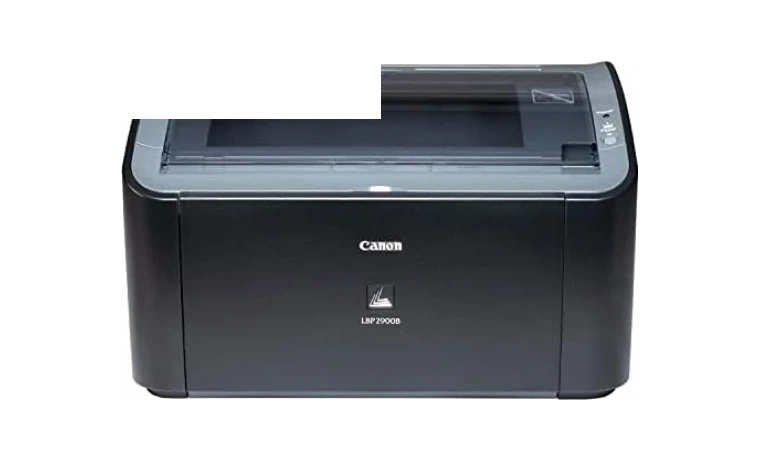
Canon LBP2900 CAPT Printer Driver for Windows
Canon Canon LBP2900 Laser printer driver
The Canon LBP2900 CAPT driver adds Canon’s laser printer language support to Windows so the printer can work correctly over USB.
Canon LBP2900 driver overview
This driver page is meant for people who already know the printer model and want a clean Windows package without bouncing between archived vendor pages. The local copy is kept with the version, release date, supported Windows builds, file size and SHA256 checksum visible before download.
When this package helps
- The printer appears in Windows but jobs never leave the queue.
- CAPT status monitor is missing after a fresh Windows install.
- You need the 64-bit package for a legacy Canon laser printer.
Supported Windows versions
Windows 10 / 8.1 / 8 / 7 / Vista / XP
Before installing
- Run the installer as administrator.
- Use a direct USB connection during the first setup.
- If an older CAPT package is installed, remove it before installing this one.
The Canon source page is kept as a reference, while the downloadable file itself is stored in the drivers-search.com library. Compare the model, version and checksum before running the installer.
Driver file details
- Version
- R1.50 V3.30
- Release date
- 2017-02-14
- Size
- 10.93 MB (11,464,256 bytes)
- File type
- EXE
- Manufacturer
- Canon
- SHA256 / MD5
- SHA256: 953571b89810ba5644a79e42b9cf9aa38e0ac12f7d183b64d588f6c281341096
How we verify files
- We compare the model, version, and operating system with manufacturer data.
- When an official reference is available, we show the original source.
- We keep checksums so the file can be verified after download.
- We do not disguise third-party installers as drivers.
Installation guide
- Download the file only from the trusted link on this page.
- Check the file size and checksum when they are provided.
- Run the file as administrator only if you trust the source.
- Follow the installer steps and restart the PC if required.
Available downloads
Choose the package that matches your Windows version and installation needs.
Installation screenshots
Visual setup checkpoints before changing Windows driver settings.
Ask a question