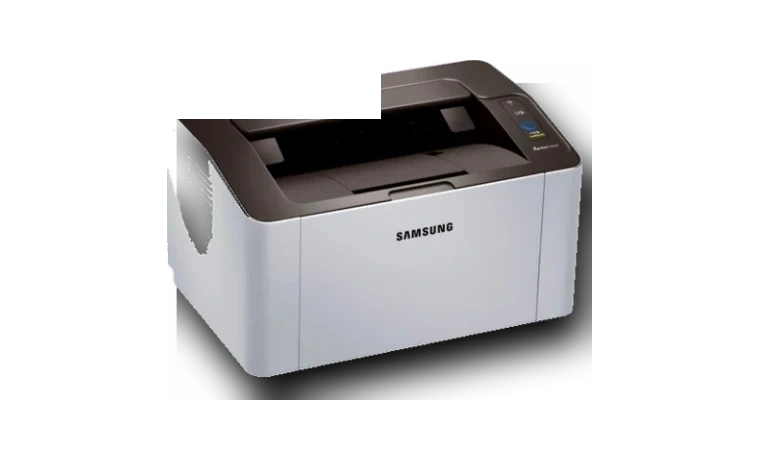
Samsung Xpress M2020 Printer Driver for Windows
Samsung Samsung Xpress M2020 Laser printer driver
The Samsung Xpress M2020 driver package is for the small monochrome laser printer family now supported through HP’s Samsung printer pages.
Samsung Xpress M2020 driver overview
This driver page is meant for people who already know the printer model and want a clean Windows package without bouncing between archived vendor pages. The local copy is kept with the version, release date, supported Windows builds, file size and SHA256 checksum visible before download.
When this package helps
- The printer shows as a generic Samsung device.
- The M2020 was moved to a clean Windows PC.
- Printing works but Samsung status or device options are missing.
Supported Windows versions
Windows 11 / 10 / 8.1 / 8 / 7
Before installing
- Remove failed Samsung printer entries before reinstalling.
- Use the vendor package rather than a random driver updater.
- Confirm USB or wireless setup according to the exact M2020 variant.
The Samsung source page is kept as a reference, while the downloadable file itself is stored in the drivers-search.com library. Compare the model, version and checksum before running the installer.
Driver file details
- Version
- v3.00.00.00.26
- Release date
- 2024-12-12
- Size
- 42.09 MB (44,132,672 bytes)
- File type
- EXE
- Manufacturer
- Samsung
- SHA256 / MD5
- SHA256: e5d14a92fe89efbebc8141fc90ff342de585fb3e0d4511e32223f17aa073d344
How we verify files
- We compare the model, version, and operating system with manufacturer data.
- When an official reference is available, we show the original source.
- We keep checksums so the file can be verified after download.
- We do not disguise third-party installers as drivers.
Installation guide
- Download the file only from the trusted link on this page.
- Check the file size and checksum when they are provided.
- Run the file as administrator only if you trust the source.
- Follow the installer steps and restart the PC if required.
Available downloads
Choose the package that matches your Windows version and installation needs.
Installation screenshots
Visual setup checkpoints before changing Windows driver settings.
Ask a question