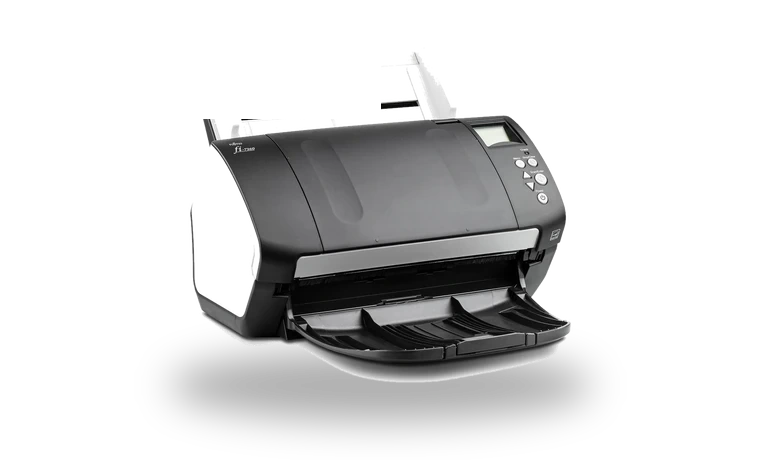
Fujitsu fi-7160 PaperStream IP Driver for Windows
Fujitsu Fujitsu fi-7160 Duplex document scanner driver
Fujitsu fi-7160 is a high-volume duplex document scanner used in offices, reception desks and archive rooms. PaperStream IP is the TWAIN driver package that lets Windows applications communicate with the fi-7160 scanner.
Fujitsu fi-7160 driver overview
The fi-7160 is often kept in service for years, especially where reliable ADF feeding matters more than replacing hardware. This page keeps a local copy of the PaperStream IP TWAIN package with its version, size and checksum visible before download.
When this scanner driver helps
- PaperStream Capture cannot see the fi-7160 after moving to another Windows PC.
- A document management application needs the TWAIN scanner driver installed.
- The scanner works physically, but Windows has no Fujitsu/PFU scan driver loaded.
Supported Windows versions
Windows 10 / 8.1 / 8 / 7 / Vista (32-bit / 64-bit).
Before installing
- Close PaperStream Capture before installing or updating the TWAIN driver.
- After extraction, let the PaperStream IP setup wizard finish before reconnecting workflows.
- Use the older XP-specific package only if the PC is still running Windows XP.
The file is stored in the drivers-search.com library. Before installing, compare the model, Windows version, file size and SHA256 checksum shown on this page.
Driver file details
- Version
- 1.42.0.5685
- Release date
- 2017-09-28
- Size
- 117.46 MB (123,170,608 bytes)
- File type
- EXE
- Manufacturer
- Fujitsu
- SHA256 / MD5
- SHA256: b259ae69063dd3e763adcacdf32f643ead21f369eeae8ab4bcdce2e1508ff867
How we verify files
- We compare the model, version, and operating system with manufacturer data.
- When an official reference is available, we show the original source.
- We keep checksums so the file can be verified after download.
- We do not disguise third-party installers as drivers.
Installation guide
- Download the file only from the trusted link on this page.
- Check the file size and checksum when they are provided.
- Run the file as administrator only if you trust the source.
- Follow the installer steps and restart the PC if required.
Available downloads
Choose the package that matches your Windows version and installation needs.
Installation screenshots
Visual setup checkpoints before changing Windows driver settings.
Ask a question