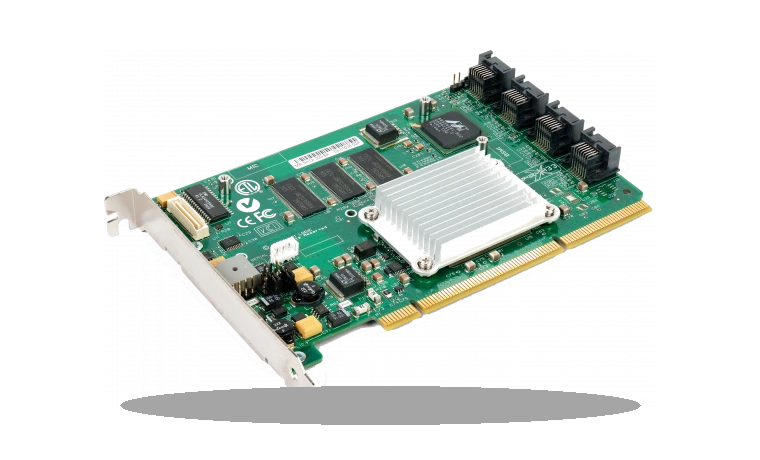
Dell AMD RAID Driver is for systems configured to use AMD RAID mode, where Windows needs the storage controller package before RAID volumes behave correctly.
AMD RAID driver overview
This is not a general SSD utility. Use it for Dell or AMD-platform machines where the SATA/NVMe controller is running in RAID mode and Device Manager or Windows Setup needs the signed AMD storage driver.
When this download is useful
- Windows cannot see a RAID volume during installation.
- Device Manager shows an AMD RAID controller without a proper driver.
- A Dell AMD system was reinstalled and storage mode is set to RAID.
Supported Windows versions
Windows 11 / 10
Before installing
- Back up important data before changing RAID/storage drivers.
- Do not install RAID drivers on systems using normal AHCI mode only.
- Restart and verify array health after installation.
This page keeps a local copy of the package so the version, size and SHA256 checksum are visible before download. Check the model and operating system before running storage software, especially when RAID or firmware tools are involved.
Driver file details
- Version
- 9.3.3.245, A00
- Release date
- 2025-10-17
- Size
- 13.62 MB (14,286,384 bytes)
- File type
- EXE
- Manufacturer
- AMD
- SHA256 / MD5
- SHA256: 0a70f9e149dc50bb562054bcb994dd1619b765ada2dbdac4660313951a47bc60
How we verify files
- We compare the model, version, and operating system with manufacturer data.
- When an official reference is available, we show the original source.
- We keep checksums so the file can be verified after download.
- We do not disguise third-party installers as drivers.
Installation guide
- Download the file only from the trusted link on this page.
- Check the file size and checksum when they are provided.
- Run the file as administrator only if you trust the source.
- Follow the installer steps and restart the PC if required.
Available downloads
Choose the package that matches your Windows version and installation needs.
Installation screenshots
Visual setup checkpoints before changing Windows driver settings.
Ask a question