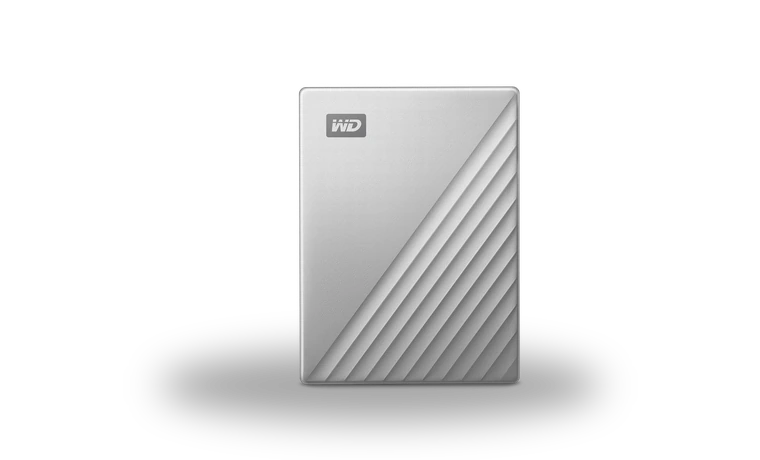
WD My Passport Ultra Security Software for Windows
Western Digital WD My Passport Ultra external drive security utility driver
WD Security manages password protection on supported My Passport Ultra drives that include hardware encryption. It does not recover a forgotten password and should not be installed as a generic USB disk driver.
WD My Passport Ultra driver overview
The local ZIP is Western Digital's Windows installer. Before enabling a password, confirm that the drive is on WD's supported-products list and that important files exist in another location.
When this storage package helps
- Windows does not identify WD My Passport Ultra correctly after a clean installation.
- The vendor utility or controller package is missing after the storage device was moved to another PC.
- You need the exact local package, version, file size and checksum before making storage changes.
Supported Windows versions
Windows 11 / 10 (32-bit / 64-bit).
Before installing
- A forgotten hardware-encryption password cannot be bypassed; resetting the drive erases its data.
- Back up important data before changing a storage driver, RAID component, firmware tool or disk-management utility.
- Match the complete device model and supported Windows release; a similar product name is not enough.
Compatibility notes
WD Security supports listed My Passport and My Book products on Windows 10 and Windows 11. Some enclosures use different software or no hardware password feature at all, so compare the complete product name and model label.
Common installation checks
- If setup cannot find the device, compare the hardware ID or exact model label with the package target.
- If Windows blocks the package, check the digital signature and use an administrator account rather than disabling security checks.
- If a storage device disappears after installation, restore the previous driver and check the controller mode in firmware before trying again.
Questions about this driver
Does this package erase files?
A normal driver installation should not format a disk, but storage changes carry more risk than ordinary peripheral updates. Keep a current backup before installation.
Can I use a package for a similar model?
No. Use the exact model or controller family listed by the manufacturer, especially for RAID, NVMe and vendor management tools.
The file is stored in the drivers-search.com library. Before installing, compare the model, Windows version, file size and checksum shown on this page.
Driver file details
- Version
- 2.1.1.130
- Release date
- 2025-02-04
- Size
- 15.58 MB (16,337,336 bytes)
- File type
- ZIP
- Manufacturer
- Western Digital
- SHA256 / MD5
- SHA256: af94666fc7d61c5f69306c93fc8811a0d7ad22b3896d8a35cf26be94485e65b7
How we verify files
- We compare the model, version, and operating system with manufacturer data.
- When an official reference is available, we show the original source.
- We keep checksums so the file can be verified after download.
- We do not disguise third-party installers as drivers.
Installation guide
- Download the file only from the trusted link on this page.
- Check the file size and checksum when they are provided.
- Run the file as administrator only if you trust the source.
- Follow the installer steps and restart the PC if required.
Available downloads
Choose the package that matches your Windows version and installation needs.
Installation screenshots
Visual setup checkpoints before changing Windows driver settings.
Ask a question