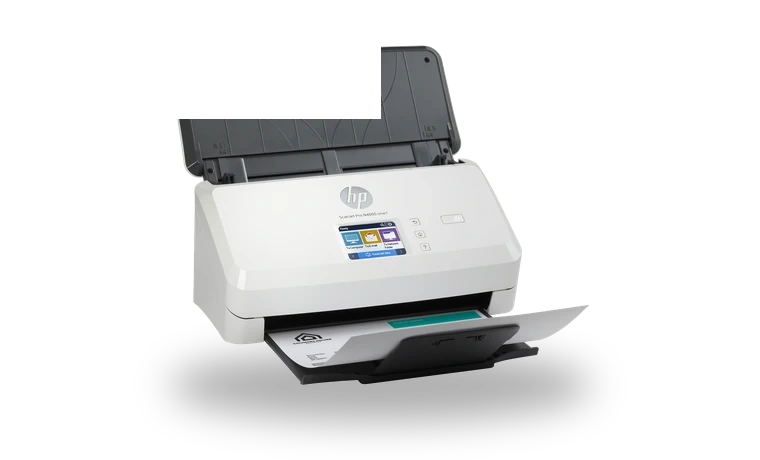
HP ScanJet Pro N4000 snw1 Scanner Driver for Windows
HP ScanJet Pro N4000 snw1 Sheet-feed document scanner driver
HP ScanJet Pro N4000 snw1 is a compact sheet-feed scanner for office documents, duplex batches and network scanning. This full HP package installs the scanner driver and the HP scanning software needed for normal Windows use.
HP ScanJet Pro N4000 snw1 driver overview
Use this driver when the scanner is connected over USB, Ethernet or Wi-Fi but Windows does not have the HP scan stack installed. The package is kept as a local copy, with checksum and size visible before download, so the file can be compared before it is run.
When this scanner driver helps
- HP Scan cannot find the ScanJet Pro N4000 snw1 after a Windows reinstall.
- Device Manager shows the scanner but scan jobs fail from desktop software.
- A shared office PC needs the full HP package rather than only a basic WIA driver.
Supported Windows versions
Windows 11 / 10 / 8.1 / 8 / 7 (32-bit / 64-bit).
Before installing
- Choose USB or network connection during setup according to the way the scanner is used.
- Restart Windows after setup if the HP Scan app does not detect the device immediately.
- For network scanning, confirm that the scanner and PC are on the same network.
The file is stored in the drivers-search.com library. Before installing, compare the model, Windows version, file size and SHA256 checksum shown on this page.
Driver file details
- Version
- 63.7.6442
- Release date
- 2026-02-17
- Size
- 436.27 MB (457,463,248 bytes)
- File type
- EXE
- Manufacturer
- HP
- SHA256 / MD5
- SHA256: d6a42d666ca7fee7cdde89c1f7a77f3bf65d74260439dbeca6ba97763be551d5
How we verify files
- We compare the model, version, and operating system with manufacturer data.
- When an official reference is available, we show the original source.
- We keep checksums so the file can be verified after download.
- We do not disguise third-party installers as drivers.
Installation guide
- Download the file only from the trusted link on this page.
- Check the file size and checksum when they are provided.
- Run the file as administrator only if you trust the source.
- Follow the installer steps and restart the PC if required.
Available downloads
Choose the package that matches your Windows version and installation needs.
Installation screenshots
Visual setup checkpoints before changing Windows driver settings.
Ask a question