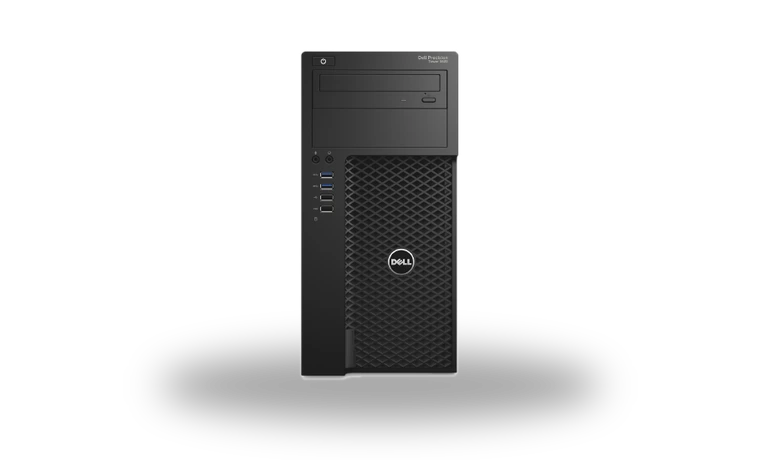
Dell Precision 3620 Intel HD Graphics P630 Driver for Windows
Intel Dell Precision 3620 Intel HD Graphics P630 Workstation integrated graphics driver driver
The Dell Precision 3620 can use Intel HD Graphics P630 built into a supported Xeon processor. This Dell-packaged Intel driver is for workstations where the integrated display adapter is needed for basic output, an additional monitor, remote administration or troubleshooting a separate graphics card.
Dell Precision 3620 Intel HD Graphics P630 driver overview
P630 graphics are easy to overlook because many Precision systems also contain an NVIDIA Quadro or AMD FirePro card. Install the Intel package only when the processor and BIOS configuration expose the integrated adapter. The page preserves Dell's package version and checksum so the workstation driver can be identified before use.
When this graphics driver helps
- Device Manager shows Intel HD Graphics P630 without the proper driver.
- The motherboard display output stopped working after Windows was reinstalled.
- A second display or remote-management workflow relies on the integrated adapter.
Supported Windows versions
Windows 11 / 10 (64-bit).
Before installing
- Confirm that integrated graphics is enabled in the Precision BIOS.
- Do not remove a working Quadro or FirePro driver when adding the Intel adapter.
- After installation, verify the Intel driver version in Device Manager.
Compatibility notes
Intel HD Graphics P630 is tied to supported workstation processors, not every Precision 3620 configuration. Some towers use only a discrete Quadro or FirePro card, while others expose both adapters. Confirm the processor model and BIOS setting before using the package. This Dell A01 build targets 64-bit Windows and should be preferred over a random generic Intel file when the workstation is stable with Dell's validated release.
Common installation checks
- If P630 is absent, enable integrated graphics or multi-display support in the Precision BIOS when available.
- If setup reports unsupported hardware, confirm that the installed Xeon or Core processor actually includes P630 graphics.
- If a discrete card loses its settings, reinstall its vendor driver after the Intel package and verify monitor cabling.
Questions about this driver
Do all Dell Precision 3620 workstations need this driver?
No. It is needed only when the installed processor exposes Intel HD Graphics P630 and the adapter is enabled. Systems using only a discrete card may not show it.
Can Intel P630 and a Quadro card work together?
Many workstation configurations can expose both adapters, but the available outputs and multi-display behavior depend on BIOS settings and the exact hardware configuration.
The file is stored in the drivers-search.com library. Before installing, compare the model, Windows version, file size and checksum shown on this page.
Driver file details
- Version
- 31.0.101.2130, A01
- Release date
- 2022-06-13
- Size
- 669.8 MB (702,340,312 bytes)
- File type
- EXE
- Manufacturer
- Intel
- SHA256 / MD5
- SHA256: 08c811c955b598ef12dd9a2b45a888aebab329fbe135dc23579da3ee9c563764
How we verify files
- We compare the model, version, and operating system with manufacturer data.
- When an official reference is available, we show the original source.
- We keep checksums so the file can be verified after download.
- We do not disguise third-party installers as drivers.
Installation guide
- Download the file only from the trusted link on this page.
- Check the file size and checksum when they are provided.
- Run the file as administrator only if you trust the source.
- Follow the installer steps and restart the PC if required.
Available downloads
Choose the package that matches your Windows version and installation needs.
Installation screenshots
Visual setup checkpoints before changing Windows driver settings.
Ask a question